
tokmon
Usage, cost, and rate-limit tracking for the coding tools on your machine.


Install · Providers · Docs · Desktop downloads
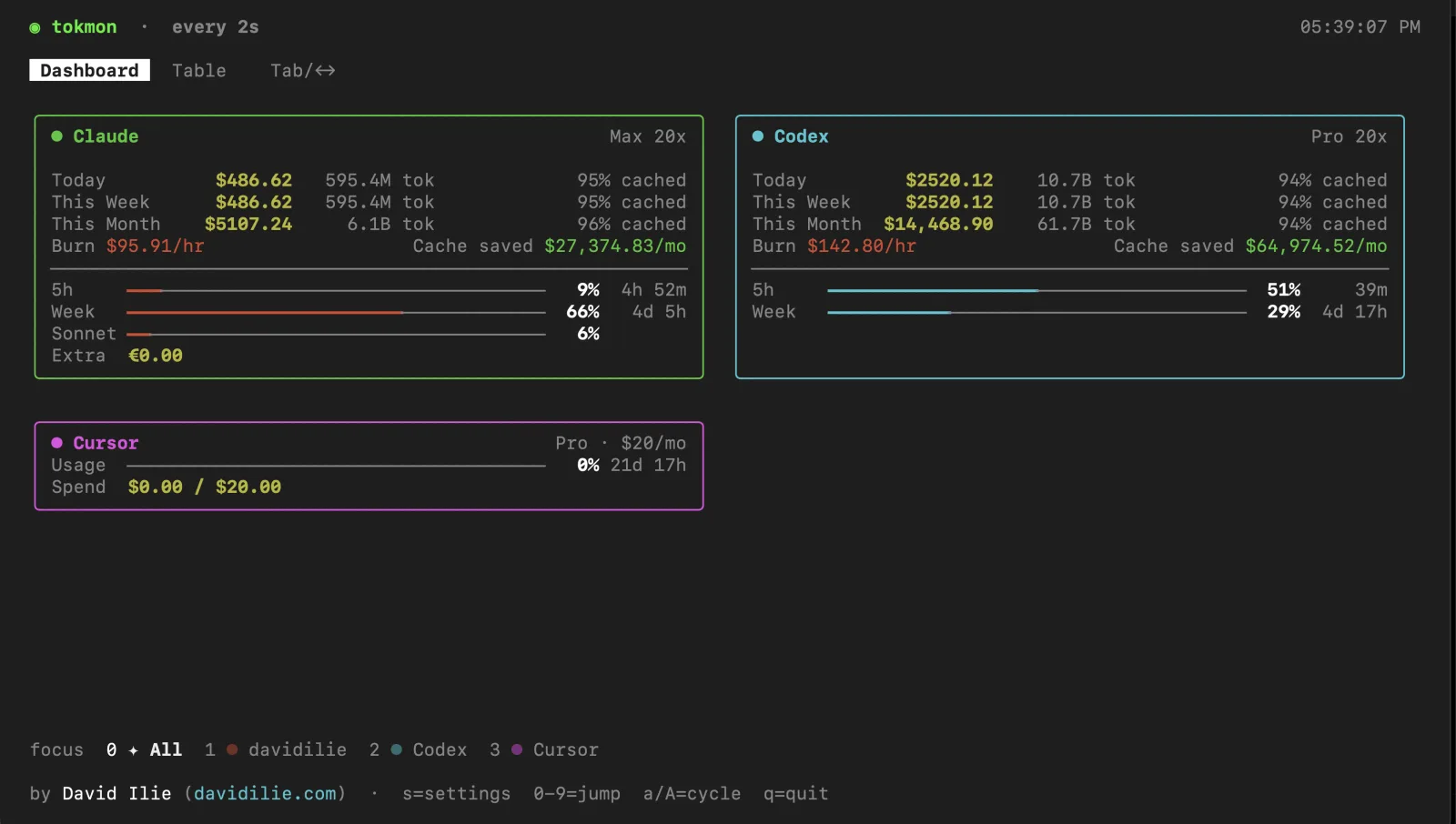
Tokmon collects the usage data your coding tools already keep locally, then shows it in a terminal dashboard, a local web app, and a desktop tray app. The three clients use one local daemon, so their totals, account names, limits, and settings stay in sync.
It currently understands Claude Code, Codex, Cursor, Copilot, opencode, pi, Antigravity, Gemini, and Grok.
Install
Run the terminal dashboard without installing anything:
npx tokmonOr install the CLI globally:
npm install -g tokmon
tokmon
The first run detects supported tools and lets you choose what to track. Node.js 20 or newer is required; Node.js 24 or newer is recommended.
For the menu-bar/tray app, download the macOS, Windows, or Linux build from GitHub Releases. macOS builds are signed and notarized. Windows builds are currently unsigned.
Three ways to use it
| Surface | Best for | Start it |
|---|---|---|
| Terminal | A fast overview while coding | tokmon |
| Web dashboard | Charts, filtering, all-time history, and exports | tokmon serve |
| Desktop | A customisable menu-bar summary and quick account details | Install from Releases |
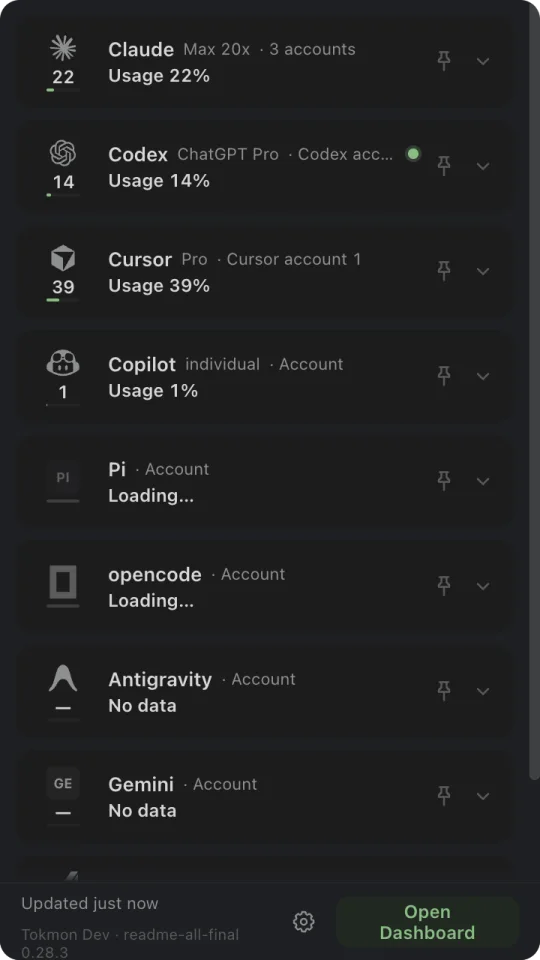
Pin up to two providers directly from their desktop cards, then decide exactly what the macOS menu bar shows: provider marks, usage or today’s tokens, optional progress lines, and comfortable, compact, or tight spacing. Auto layout adapts to smaller displays; Custom mode exposes half-point edge and gap controls. Clicking the item opens a compact view of every enabled provider and account, including usage, reset times, token totals, spend, cache savings, and recent history. The Desktop App settings can also launch Tokmon silently at login on macOS and Windows, with native approval state shown in the app.
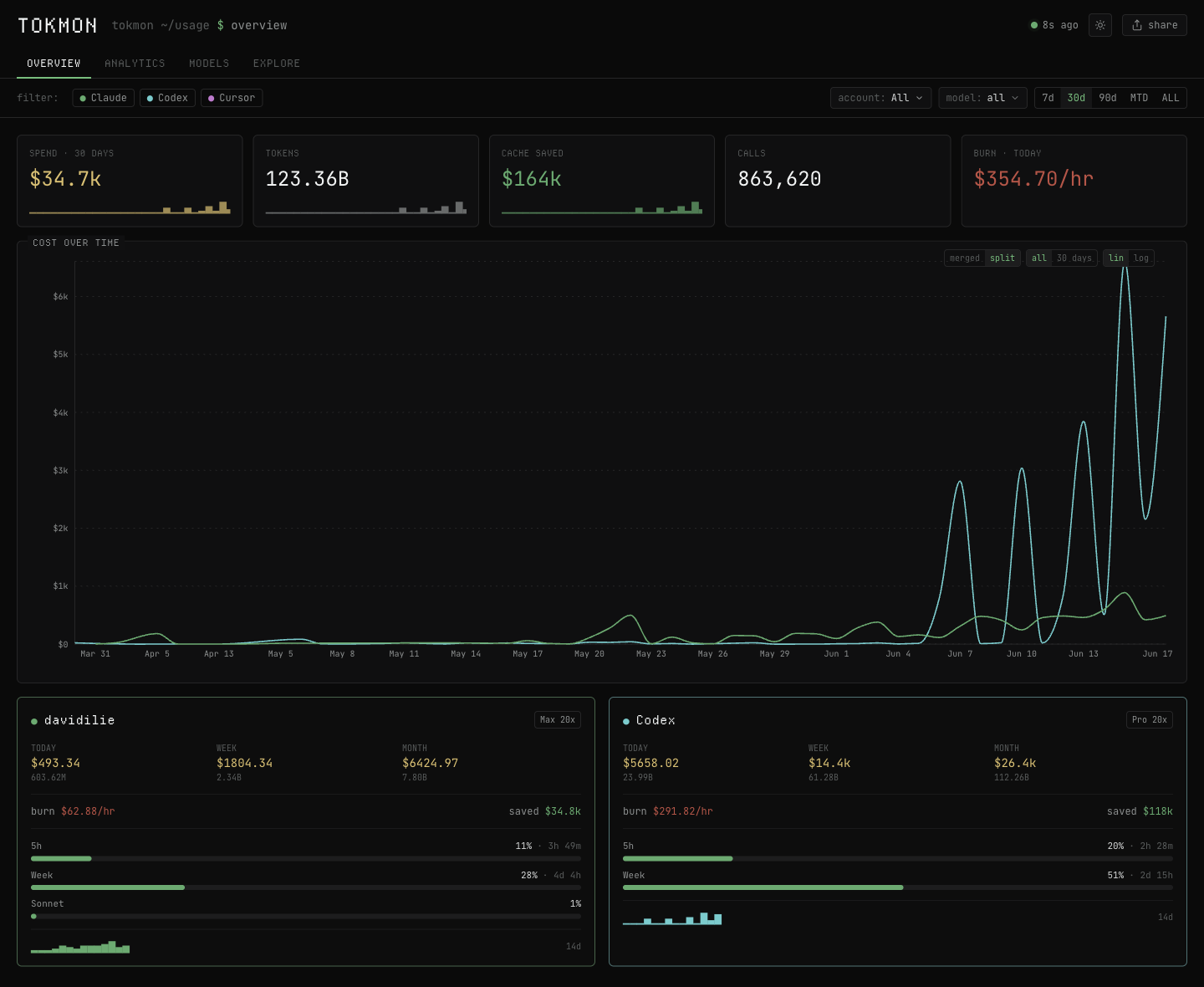
The web dashboard is bundled with the npm package and runs locally. It has
overview, analytics, model, and history views with 7d, 30d, 90d, MTD,
6M, and all-time ranges.
Providers
Tokmon has two kinds of integrations. Usage providers expose local token and cost history; quota providers expose current plan limits or spend.
Usage and cost
| Provider | Local source | Data shown |
|---|---|---|
| Claude | ~/.claude/projects/**/*.jsonl | Tokens, cost, cache savings, session/weekly/model limits |
| Codex | ~/.codex/sessions/**/rollout-*.jsonl | Tokens, cost, plan, session/weekly limits, credits |
| Cursor | Cursor usage events and local composer data | Tokens, cost, plan, spend, on-demand caps |
| opencode | ~/.local/share/opencode/opencode.db | Tokens and the costs recorded by opencode |
| pi | ~/.pi/agent/sessions/**/*.jsonl | Tokens and the costs recorded by pi |
| Grok | ~/.grok/logs/unified.jsonl and session metadata | Tokens, cost, SuperGrok limits, credits |
Quota and billing
| Provider | Data shown |
|---|---|
| Copilot | Plan, premium requests, and chat quota |
| Antigravity | Plan and per-model-pool quota |
| Gemini | Plan and Google Cloud Code quota |
Cached input is priced at each model’s cache-read rate. It is not counted as full-price input or treated as free. See the provider guide for detection, multiple-account, and API details.
Useful commands
The CLI can query the same daemon without opening the interactive dashboard:
tokmon usage
tokmon usage --period week --provider codex
tokmon usage --model opus --json
tokmon usage --period all --json --compact
tokmon providers --json
tokmon snapshot --refresh
tokmon config get
JSON reports include a schema version, provider and account source IDs, model
token/cost fields, and the local source paths behind each row. Start with
docs/cli.md for filters and automation examples.
What is included
- Daily, weekly, monthly, and all-time usage by provider, account, and model
- Live quota bars with reset countdowns or exact reset dates
- Burn rate, cache savings, token composition, and recent activity graphs
- Multiple account homes, automatic discovery, and per-account opt-out
- Shared privacy mode and themes across terminal, web, and desktop
- Machine-readable CLI queries for scripts and coding agents
- A local daemon that prevents every client from polling providers separately
Privacy
Tokmon is local-first and reads provider files without modifying them. SQLite databases are opened read-only. Credentials are used only to ask the provider’s own API for your quota or billing data; tokens are never rendered or logged.
The daemon listens on loopback by default. LAN access is optional and clearly marked unsafe in settings. See privacy and security for the exact files, network calls, and trust boundaries.
How It Works
One daemon owns collection, parsing, settings, and the stable RPC contract. The TUI, browser dashboard, desktop renderer, and CLI query commands are clients of that contract. Whichever client starts first owns the daemon; compatible clients attach to it instead of starting another collector.
Local history is cached by file modification time and size, so repeat launches do not parse every session again. Usage history and live billing refresh on separate schedules. Development commands use a tagged daemon channel and cannot collide with an installed release.
The architecture and daemon lifecycle are documented in
docs/how-it-works.md.
Documentation
| Guide | Covers |
|---|---|
| Getting started | Installation, first run, and requirements |
| Providers | Sources, detection, accounts, billing, and limits |
| Terminal UI | Views and keybindings |
| CLI queries | usage, providers, snapshot, and JSON output |
| Web dashboard | Local server, filters, exports, and LAN mode |
| Desktop app | Pins, popover, updates, and daemon attachment |
| Configuration | Settings, themes, discovery, accounts, and files |
| Privacy and security | Local data and network boundaries |
| How it works | Daemon, RPC contracts, caching, and client ownership |
| Development | Repository layout, checks, and development channels |
| Releasing | Tags, signing, artifacts, and package publication |
Development
pnpm install
pnpm --prefix web install
pnpm --prefix site install
pnpm run check
pnpm run check:desktop
pnpm run check:site
pnpm run build
This repository is a pnpm workspace for the published CLI and Electron app.
The web dashboard and marketing site have isolated lockfiles because they ship
through different paths and should not enter the npm or Electron dependency
graphs. The layout is intentional; it is not a conventional apps/* monorepo.
Read the development guide before changing daemon ownership, shared contracts, packaging paths, or release workflows.
Acknowledgements
The desktop interaction was researched against OpenUsage, CodexBar, and ccusage. Provider vector marks and compact reset formatting adapted from OpenUsage are used under its MIT license. See THIRD_PARTY_NOTICES.md for details.
Tokmon is built with Ink, React, Effect, Astro, and Electron.