Terminal
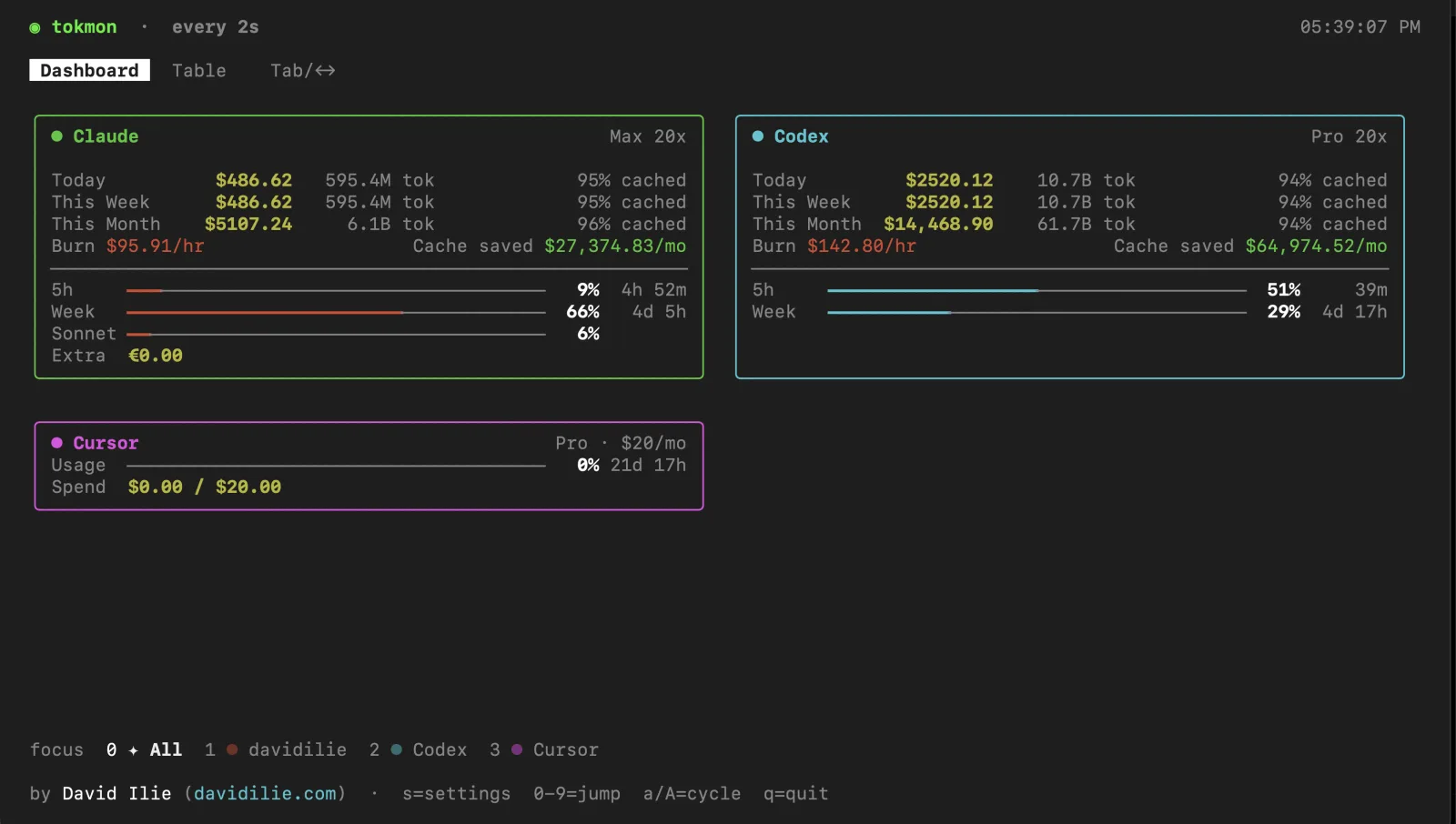
An Ink TUI: a reflowing grid of provider cards with sparklines, burn
rate, cache savings, and live limit bars. Query it headless with
tokmon usage --json from any script or agent.
Local-first usage dashboard
See cost, tokens, cache savings, and live limits for Claude Code, Codex, Cursor, Copilot, opencode, pi, Antigravity, Gemini, and Grok in one dashboard.
npx tokmon Terminal · web · macOS · Windows · Linux
Three surfaces, one shared view
The CLI, web dashboard, and desktop app share the same usage model and settings, so every surface stays consistent.
An Ink TUI: a reflowing grid of provider cards with sparklines, burn
rate, cache savings, and live limit bars. Query it headless with
tokmon usage --json from any script or agent.
A local Vite dashboard — charts, calendar heatmap, model breakdowns,
and full settings. Launch with tokmon serve or toggle it
from the TUI.
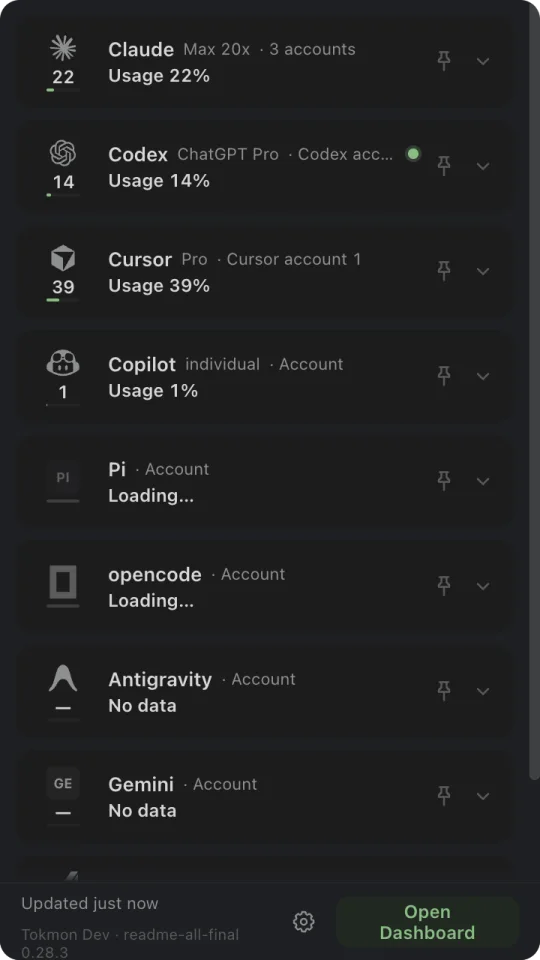
Pin two providers, then build the macOS strip you want: marks, usage or today's tokens, optional progress, and spacing that adapts to compact screens. Windows and Linux get the same provider-grouped popover from the system tray.
Providers
Compare usage history, spend, plans, and quota resets without switching between provider dashboards.
Cost and token history, plan, live session and weekly limits
History, plan, live session and weekly limits, credit balance
History, plan, period spend, and on-demand caps
Plan, premium-request quota, and chat quota
Cost and token history across routed providers
Plan and quota for Gemini and Claude model pools
History plus SuperGrok and credit usage when signed in
Cost and token history using pi's recorded cost
Plan and live model quota
Costs use each model's published pricing (or a tool's own recorded cost). Cached tokens are billed at the discounted cache-read rate — so totals reflect what you're actually charged.
Appearance
The daemon owns one theme across terminal, web, and desktop: the Tokmon and Phosphor presets, the complete ZeroCut editor-theme catalog, OS-following Auto mode, and contrast-checked custom palettes derived from any preset.
Tokmon — the default palette.
Plus OS-following Auto mode and custom palettes.
Open source
Tokmon is MIT-licensed and built with Ink and TypeScript. Install it globally, or clone and build from source.
npx tokmon npm install -g tokmon pnpm dlx tokmon One command. Open source and MIT-licensed.
npx tokmon